Blog
- Home
- Blog
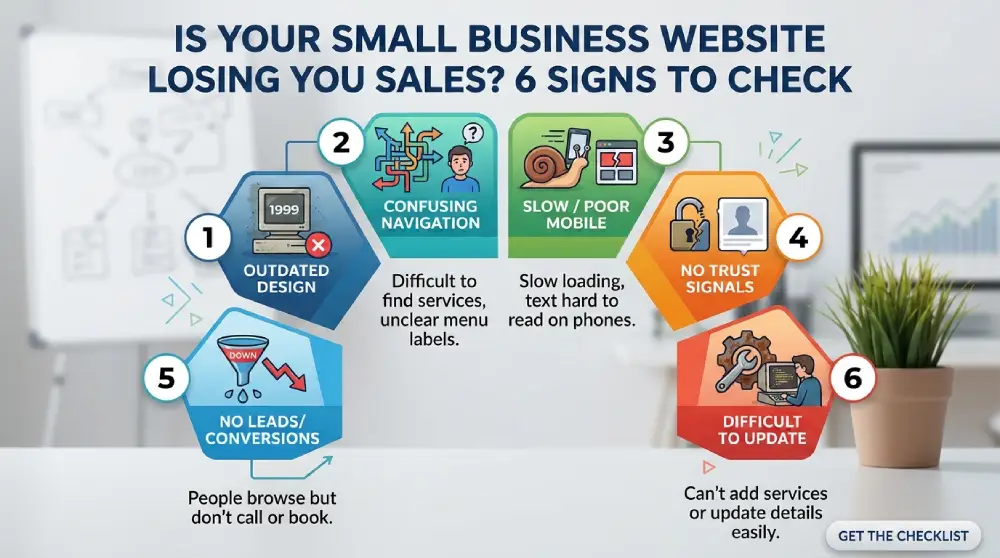
Your website should help turn visitors into customers. But an outdated design, confusing navigation, or poor mobile experience can make potential buyers leave before contacting you.
A small business website is often one of the first places people visit when researching a company. According to Clutch's 2025 consumer research, 83% of consumers judge a website's credibility in under 20 seconds. That means your website has very little time to make a good impression.
Here are six signs your website may be costing you sales and what you can do about them.
An old design can make your business appear less professional. Outdated images, crowded layouts, inconsistent fonts, and old business information can weaken customer confidence.
Review your website for these issues:
A modern business website design does not need complicated animations or expensive features. It needs a clean layout, readable text, consistent branding, and useful information.
What to improve: Update your homepage, replace outdated images, simplify page layouts, and make sure your business information reflects what you currently offer.
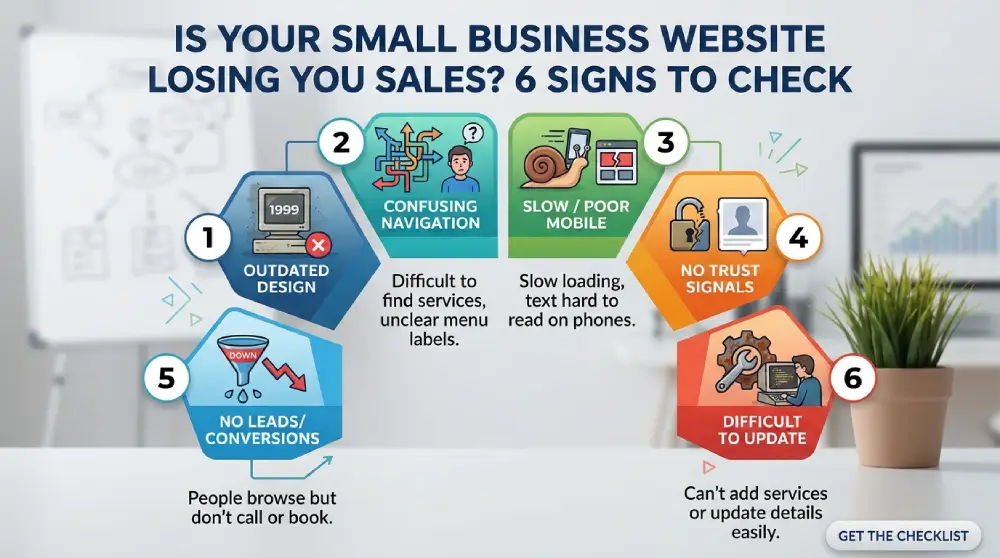
Even a good-looking website can lose customers if its navigation is confusing. Visitors should not have to click through several pages just to understand your services or find basic information.
Check whether:
Avoid complicated menus and unnecessary sections. Put the most useful information where visitors naturally expect to find it.
Google's SEO Starter Guide offers useful guidance on organizing website content and making pages easier to understand.
A slow website can frustrate visitors before they even see your services. The same happens when pages do not display properly on phones.
Conviva's 2025 State of Digital Experience Report, based on a survey of 4,000 consumers in the US and UK, found that 55% had abandoned a purchase because of a poor digital experience. The research covers digital services broadly, but it highlights how frustrating online experiences can affect buying decisions.
Check your website on both desktop and mobile devices. Look for:
What to improve: Compress large images, remove unnecessary website features, test your pages on different screen sizes, and fix mobile layout issues.
Use Google PageSpeed Insights to test your website's performance and identify areas that need attention. You can also review Google's mobile-first indexing guidance.
Would you buy from a business if its website had no customer reviews, clear contact details, or information about its services?
Most customers want reassurance before spending money. Your website should show visitors that your business is legitimate and reliable.
Add trust-building elements such as:
If you serve local customers, keep your website details consistent with your Google Business Profile. This makes it easier for people to verify your business information across Google Search and Maps.
Getting website visitors is only part of the job. Your website should also encourage them to take action.
If people browse your pages but rarely call, submit forms, or request quotes, your conversion process may need improvement.
Try these changes:
Do not rely on visitor numbers alone to measure success. Track calls, form submissions, appointment requests, and purchases to understand whether your website is generating real business opportunities.
Google Analytics can help you understand where visitors come from and which pages they explore. Use that information to identify pages that need better content or clearer calls to action.
Your business changes over time. You may add services, update prices, change contact details, or introduce new products. If making these updates is difficult, your current website may no longer meet your needs.
Consider an upgrade if:
An AI website builder can help you create or update a basic website without advanced coding skills. However, you still need to review the content, check the design, test its features, and make sure everything accurately represents your business.
The right platform should make routine updates easier while giving your website room to grow.
Use this checklist to review your current website:
You can also turn this checklist into a downloadable PDF so your team can use it during regular website reviews.

A small business website should do more than look attractive. It should help visitors understand your services, trust your business, and take the next step.
If you recognize several of these signs, start with the issues that affect your customers most. You may only need a few improvements, or a complete redesign may make more sense.
Want to know where your website is falling short? Request a free website review to identify areas that could be improved and make your site more useful to potential customers.
Common signs include an outdated design, confusing navigation, poor mobile performance, slow loading pages, missing trust signals, and low numbers of inquiries or sales.
Review your website analytics and track important actions such as phone calls, form submissions, bookings, and purchases. High visitor numbers combined with very few inquiries may indicate problems with your content, user experience, or calls to action.
Use clear navigation, helpful service descriptions, genuine customer reviews, mobile-friendly layouts, visible calls to action, and simple contact forms. Regularly check your website performance and update outdated information.
It depends on the problems. If your website has a few outdated pages or unclear buttons, targeted updates may be enough. If its design, structure, mobile experience, and functionality are all outdated, a complete redesign may be the better option.
Yes. Some AI website builders can help update layouts, generate content, and create new pages. However, review everything before publishing. Check accuracy, branding, mobile usability, page speed, and website functionality.