Blog
- Home
- Blog
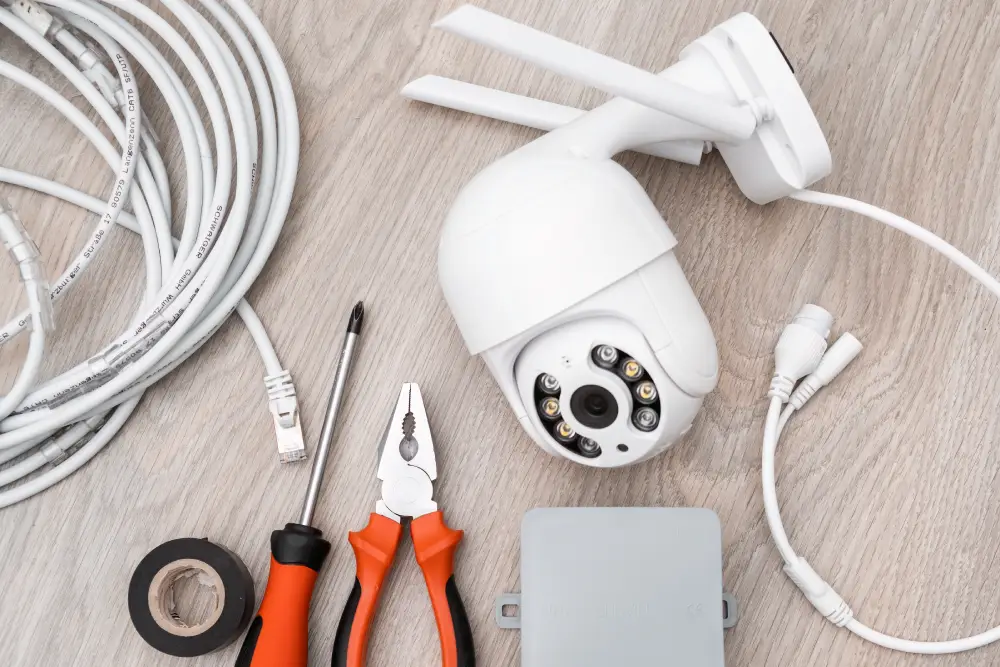
Looking for a wireless home security system in Atlanta, GA? The right system can help you keep an eye on your home, receive alerts when something happens, and manage your security from your phone.
Atlanta homeowners can choose from national providers such as ADT and Vivint or local companies that offer installation and monitoring. Before deciding, compare their services, upfront costs, monthly fees, and contract terms.
Start by thinking about what you want to protect. A basic setup may be enough for a small home, while a larger property may need cameras and additional sensors.
Look for these features:
The best wireless home security system is one that fits your property and budget without adding features you do not need.
Here are seven providers to consider when comparing home security system installation options in the Atlanta area.
SafeStreets is an authorized ADT provider serving Atlanta and other parts of Georgia. It offers professionally installed security systems with options for sensors, cameras, and monitoring.
Its advertised promotions may include equipment and installation incentives. Ask for a complete quote so you know the activation fee, monthly payment, and contract requirements.
Best for: Homeowners interested in ADT security through an authorized provider.
Website: https://www.safestreets.com/locations/georgia/atlanta/
Based in Roswell, American Alarm Corporation serves Metro Atlanta with residential and commercial security services. Its offerings include alarm systems, video surveillance, fire alarms, monitoring, and access control.
If you want more than a basic alarm, ask about a setup that combines entry sensors, cameras, and monitoring.
Best for: Homeowners and businesses looking for a local security provider.
Website: https://www.americanalarm.com/
J&J Security Systems offers home security packages for Atlanta-area customers, including options using Qolsys IQ4 equipment and Alarm.com features.
Published packages have included plans starting at $49.99 per month with a $99 activation fee, alongside higher-priced options. Confirm current pricing and exactly what each package includes.
Best for: People who want to compare several professionally installed security packages.
Website: https://www.jnjsecurity.net/home-security-systems-in-atlanta/
Secure24 is an authorized ADT dealer offering monitored home security packages. Its published pricing has included monthly plans at $55.99, $63.99, and $69.99.
Before choosing a package, check whether installation, activation, cameras, and other equipment are included in the quoted price.
Best for: Homeowners comparing ADT-based security options.
Website: https://www.securehomeatlanta.com/home-security/pricing
Callaway Security is a family-owned provider based in the Alpharetta area and serving Metro Atlanta. It offers residential and business security, cellular monitoring, fire protection, and smart home features.
Published starting prices have included $19.99 per month for security and $27.99 per month for home automation. Contact the company to confirm current prices and additional charges.
Best for: People looking for a regional provider with security and smart home services.
Website: https://callawaysecurity.com/
ADT offers professionally installed security systems, cameras, sensors, and monitoring plans. Homeowners can compare different equipment options depending on their property and security needs.
A published Secure offer has started at $449 upfront and $34.99 per month under a 36-month agreement. Check the current offer and eligibility requirements before signing up.
Best for: Homeowners who want an established national security provider.
Website: https://www.adt.com/
Vivint combines home security equipment with smart home features, including compatible cameras, sensors, and locks.
Its published HomeProtect offer has included $199.99 upfront, free installation, and $24.99 per month for monitoring under a 36-month agreement. Another listed option without a long-term contract has included separate equipment and installation charges. Confirm the current terms directly with Vivint.
Best for: Homeowners interested in security and smart home controls in one system.
Atlanta service page: https://www.vivint.com/locations/georgia/atlanta
Packages: https://www.vivint.com/packages/home-security-homeprotect
The cost of a wireless home security system depends on the equipment, installation, monitoring plan, and contract. Here are some published prices to help you start comparing.
| Provider | Published price | Source |
|---|---|---|
| SafeStreets | Advertised offer includes $1,200 in equipment, free installation, and a $149 activation fee | View offer |
| J&J Security Systems | Packages listed from $49.99/month, plus $99 activation | View packages |
| Secure24 | Packages listed at $55.99, $63.99, and $69.99/month | View pricing |
| Callaway Security | Starting prices listed at $19.99/month for security and $27.99/month for home automation | Visit website |
| ADT | Secure offer listed at $449 upfront and $34.99/month under a 36-month agreement | View offer |
| Vivint | HomeProtect offer listed at $199.99 upfront and $24.99/month for monitoring under a 36-month agreement | View packages |
These offers do not all include the same equipment or services. Ask each provider for a written quote that shows the upfront cost, monthly monitoring, activation, installation, and cancellation terms.
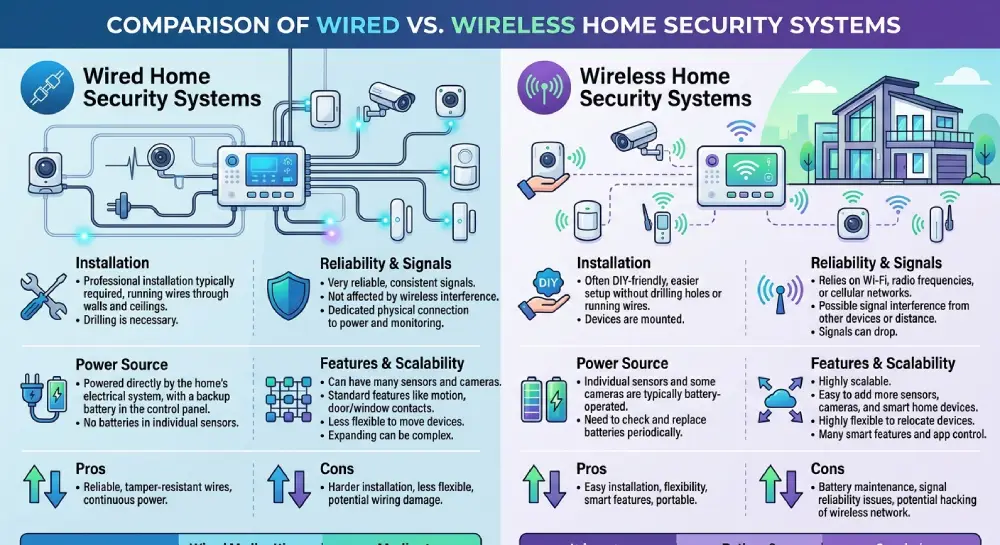
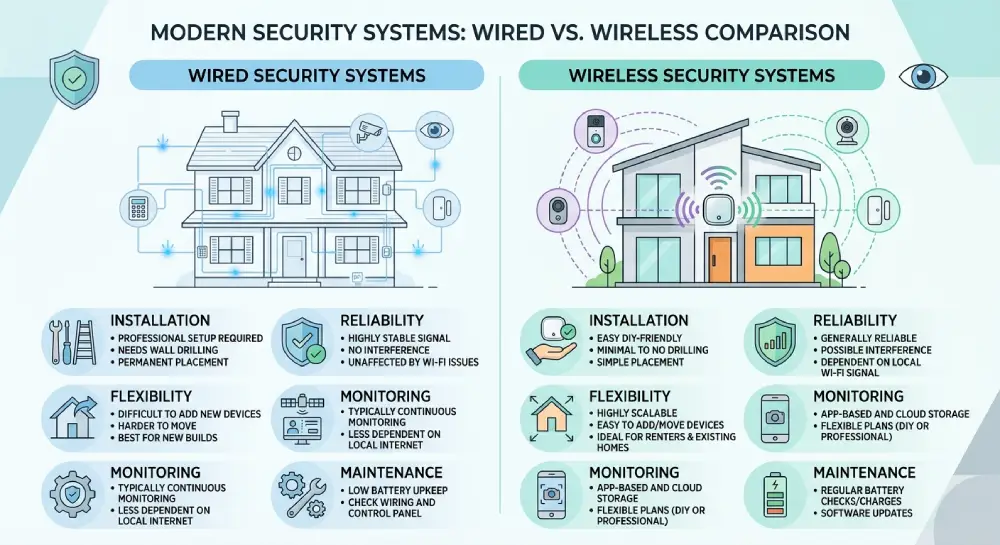
A wireless home security system is often easier to install in an existing home because it requires less cabling. However, some devices rely on batteries or a dependable wireless connection.
A wired home security system uses physical cables for some or all connections and may suit homes that already have security wiring. Wired cameras can also be useful, but installation may require additional labor.
When comparing wired vs wireless security systems, consider your home's layout, maintenance needs, reliability, and installation budget.
Before activating your system, check Atlanta's alarm registration rules. The city's 311 information states that residential and business alarm systems must be registered and renewed annually. It also warns that an unregistered system involved in a false alarm call may trigger a $150 fine.
Atlanta's ordinance lists additional penalties for repeated false alarms, including $50 for a third false alarm, $100 for a fourth, $200 for a fifth and sixth, and $500 for subsequent false alarms within the applicable 365-day period.
Check the current rules and fees with the city before installation.
Before making your decision, take a few practical steps:
The cheapest plan is not always the best value. A clear quote and a system that meets your actual needs can help you avoid paying for features you will rarely use.
It can be reliable when properly installed and maintained. Ask about battery life, backup communication, and what happens during internet or power outages.
Some features rely on Wi-Fi, especially app access and connected cameras. Certain systems also offer cellular communication, which can provide another way to send alarm signals.
Local companies may offer more personalized service, while national providers may have a wider range of packages. Compare the full price, monitoring service, support, and contract before deciding.
No. Some packages include only an alarm panel and sensors, while cameras cost extra. Confirm the equipment list and whether video storage requires a separate subscription.
Review the upfront payment, monthly fee, contract length, cancellation terms, installation costs, equipment ownership, and any charges that apply after promotional pricing ends.